

What is the difference between a price alert and a stop-loss?
A stop-loss is an order held by your broker or exchange that closes a position automatically when price reaches a set level. A price alert is only a notification that a price condition has been met. You decide what to do next. A stop-loss acts for you. A price alert informs you.
People often treat the two as the same safety net, and mixing them up causes real problems. Some traders get stopped out of a position they wanted to keep. Others sleep through an entry they waited two weeks for, because they relied on an order type that cannot open a position they don't hold yet. This guide is educational, not financial advice. It explains how each tool works so you can choose what fits your own plan.
How does a stop-loss order work?
A stop-loss order rests with your broker or exchange at a stop price you choose. When the market trades at or through that price, the stop triggers and usually becomes a market order, which closes the position at the next available price. No confirmation is asked for, and nobody looks at the chart first.
That automation is the whole point of a stop-loss. You make the exit decision while you are calm, and the order carries it out when you might not be. The trade-offs come from the same design:
- A stop-loss only protects a position you already hold. It cannot tell you about an entry.
- A stop-loss is tied to one instrument. It has no view of what other markets are doing.
- Slippage. After triggering, a standard stop fills at the next available price. In a fast or thin market, or when price gaps overnight or over a weekend, that fill can be well past your stop price.
- Wicks. A brief spike through your level can trigger the stop even if price closes back where it started.
Common variants exist. A stop-limit order becomes a limit order instead of a market order, which caps the fill price but may not fill at all if price moves past the limit. A trailing stop moves the stop level as price moves in your favour. Order types and behaviour vary by broker and exchange, so check your platform's own documentation.
How does a price alert work?
A price alert watches a condition, such as "Bitcoin below 78,000" or "gold up 2% in an hour", and sends you a message when the condition is true. It does not touch your account, place orders or hold funds. A price alert works on any asset, including ones you don't own.
That can sound weaker than a stop-loss. In practice a price alert covers a much wider range of situations, because it does not depend on an open position or on a single exchange's order types. A price alert can:
- Watch an asset you are waiting to buy.
- Cover markets your broker does not list, such as gold and Bitcoin from one account, with one alert per asset sent to the same chat.
- Use conditions that are not order types at all, such as a percentage move within a time window.
The cost is that a price alert does nothing on its own. If you miss the message, nothing happens.
Price alert vs stop-loss: which does what?
A price alert and a stop-loss differ in who acts, what each one needs, and what can go wrong. A stop-loss executes a trade through your broker and can suffer slippage. A price alert only notifies you and needs no broker account. The table below compares the two side by side.
| Stop-loss order | Price alert | |
|---|---|---|
| What it does | Closes (or opens) a position when a stop price is reached | Sends a notification when a condition is true |
| Who executes | Your broker or exchange, automatically | You, manually, if you decide to act |
| Slippage | Possible: a triggered market order fills at the next available price, and gaps can make the fill much worse | None from the alert itself. Any trade you place later has its own execution risk |
| Needs a broker account | Yes, plus an open position or funded account on that platform | No: an alert service needs only price data and a way to reach you |
| Covers several markets | Only instruments that platform lists, one per order | Yes, with one alert per asset, all delivered to the same channel |
| Main failure mode | Filled at a bad price, or triggered by a brief wick | Notification missed or ignored |
| Best for | Enforcing an exit on a trade you already hold | Entries, watchlists across several markets and moves you want to judge yourself |
When is a price alert the better tool?
A price alert suits situations where no position exists yet, where you are watching several markets at once, or where you want judgement in the loop before acting. In each case a notification that makes you look beats an order that fires automatically, and it never touches your account.
- You are waiting to enter. You want to consider buying BTC if it drops under 98,000. A stop-loss can't help, because there is no position to protect.
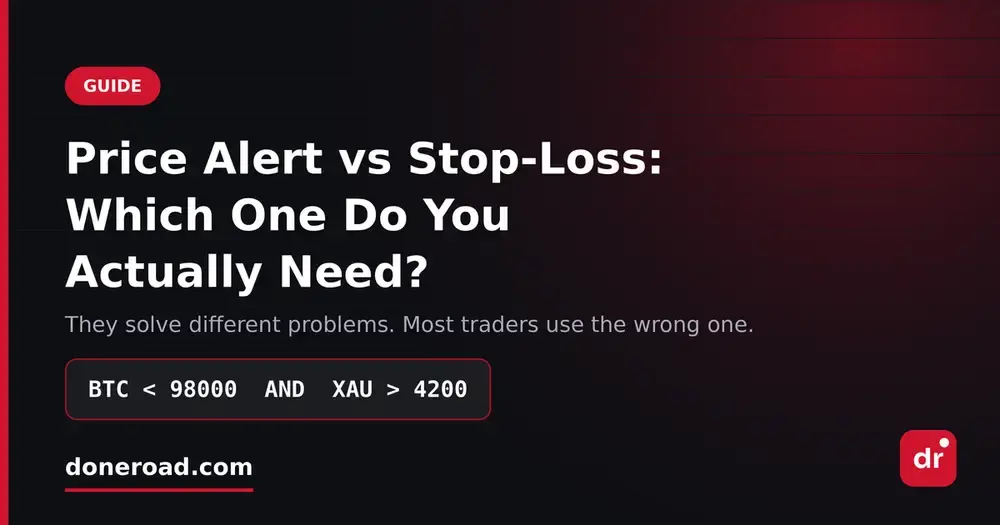
- You watch several markets. You want to know if BTC falls below 98,000 and also if gold rises above 4,200, because together they can point to broad risk-off pressure, not just a crypto wobble. Set one alert on each and route both to the same Telegram chat. No single exchange order can watch both prices.
- A level is information, not a decision. Price touching a level might mean buy, might mean wait for the daily close, or might mean nothing. An alert lets you decide.
- You can't watch the screen. Overnight sessions, the workday, a flight. Your phone watches the level for you.
For an example of an alert set around a scheduled event, see setting price alerts before a Fed meeting.
When is a stop-loss the better tool?
A stop-loss suits an open position where you have already defined the price that proves the trade wrong and you may not be able to react in time. At 3 a.m. in a fast market, automatic execution is exactly what a stop-loss is for. An alert you sleep through protects nothing.
Replacing a stop-loss with an alert is a real trade-off, not a free upgrade. The alert removes the risk of a slippage-heavy fill or a wick stop. In return, it adds the risk that you won't see the message or won't act on it. For positions where a missed exit would be costly, many traders prefer the certainty of an order.
Can you use a price alert and a stop-loss together?
Yes. Many traders combine a stop-loss on open positions with price alerts on everything they are still waiting for. The stop-loss handles the exit on the trade they are in. Price alerts handle entries, watchlist levels and early warnings. Together they cover both halves of the job.
One common pattern is an early-warning alert set a little before the stop level. It gives you a chance to review the position before the stop decides for you. Whether you then adjust, keep or remove the stop is your own risk decision.
How do you set up the price alert side?
DoneRoad is a free, no-code price-alert web app for crypto, global stocks, forex, precious metals and oil. It checks every asset once a minute and messages you on Telegram, Discord, browser push or email when your rule is true. DoneRoad never places, routes or executes a trade and never holds funds.
- Choose an asset from 250+ across five markets.
- Add conditions on that asset. Use a fixed threshold (above or below a level) or a change over a time window, such as a 2% drop in 1 hour. Combine them with AND/OR.
- Read the plain-English preview to confirm when the alert will fire.
- Pick your delivery channel and save.
Prices are read once a minute, so movement inside a single minute isn't seen. That limit is one more reason an alert complements a stop-loss rather than replacing one. The methodology page lists the price sources and limits. To watch Bitcoin and gold side by side, set one alert on each and route both to the same chat. For what AND/OR can do within one asset, see how multi-condition alerts work.
FAQ
Is a price alert a substitute for a stop-loss?
Not in general. A price alert only notifies you, so the protection depends on you seeing the message and acting in time. A stop-loss executes without you, at the cost of possible slippage.
Can a stop-loss fill at a worse price than I set?
Yes. A standard stop-loss becomes a market order once triggered, so in fast markets or across price gaps it can fill beyond your stop price. A stop-limit order caps the price but may not fill.
Do I need a broker account to set a price alert?
No. A standalone alert service such as DoneRoad needs only an account for the alerts themselves, not a broker or exchange account.
Can a price alert watch two markets at once?
Yes, with one alert per market. Each DoneRoad alert watches one asset, so set one for Bitcoin and one for gold and send both to the same channel. AND/OR combines conditions within one asset, such as a level and a percentage move.