


How do you get a Bitcoin price alert on your phone for free?
You can get a free Bitcoin price alert on your phone with DoneRoad, a no-code price-alert web app. Pick Bitcoin (BTC/USDT), enter the level or move you care about, and choose Telegram, Discord, browser push or email. DoneRoad checks the Bitcoin price once a minute, around the clock, and messages you when your rule is true. Nothing to install and no exchange account.
Set a Bitcoin price alert now: the builder opens on Bitcoin with the live price, and you can try it before you sign up.
Bitcoin trades 24 hours a day, seven days a week, so the move you care about often happens while you sleep, commute or sit in a meeting. Checking a price app twenty times a day does not fix that; it only means you see the quiet hours. An alert does the watching for you: you decide the level once, while you are calm, and your phone only buzzes when something you already care about has happened.
Which channel should a Bitcoin alert use on your phone?
A Bitcoin price alert on DoneRoad can be delivered by Telegram, Discord, browser push notification or email. Each alert goes to the channel you set as default in Settings, and if that channel cannot deliver, DoneRoad sends it on your next connected channel instead. On a phone, Telegram is usually the fastest to notice, because the message arrives as a normal chat notification on your phone and your desktop at the same time.
| Channel | Best for | What you need on your phone |
|---|---|---|
| Telegram | Levels you want to see within minutes, day or night | The Telegram app, connected once to your DoneRoad account |
| Discord | Traders who already follow a Discord server on their phone | A Discord channel connected to DoneRoad with a webhook |
| Browser push | Alerts on the device where you use DoneRoad | A browser that allows notifications |
| Slower, longer-term levels and a searchable record | Any inbox |
Telegram is the "no app needed" route for most people: it is already on the phone, so you do not install a separate price-alert app or keep an exchange app logged in. Email works from the moment you sign up; the other channels take one click to connect. For more Telegram setups across coins, see crypto price alerts on Telegram.
How do you set up a Bitcoin price alert step by step?
Setting up a Bitcoin price alert on DoneRoad takes about two minutes: create a free account, choose Bitcoin, add an above or below condition, optionally add a second condition with AND or OR, check the plain-English preview, connect a channel, and save. The rule then runs on DoneRoad's servers, not on your phone.
- Go to doneroad.com and create a free account. No card is needed, and you can try the builder in demo mode first. When you sign up, the alert you built in the demo comes with you.
- Choose Bitcoin (BTC/USDT) as the asset. Ethereum, other coins, gold, oil, forex pairs and stocks are in the same list.
- Add a condition: price above or below your level, or a rise or drop of a percentage within a time window.
- If your idea has two sides, add a second condition and join it with OR.
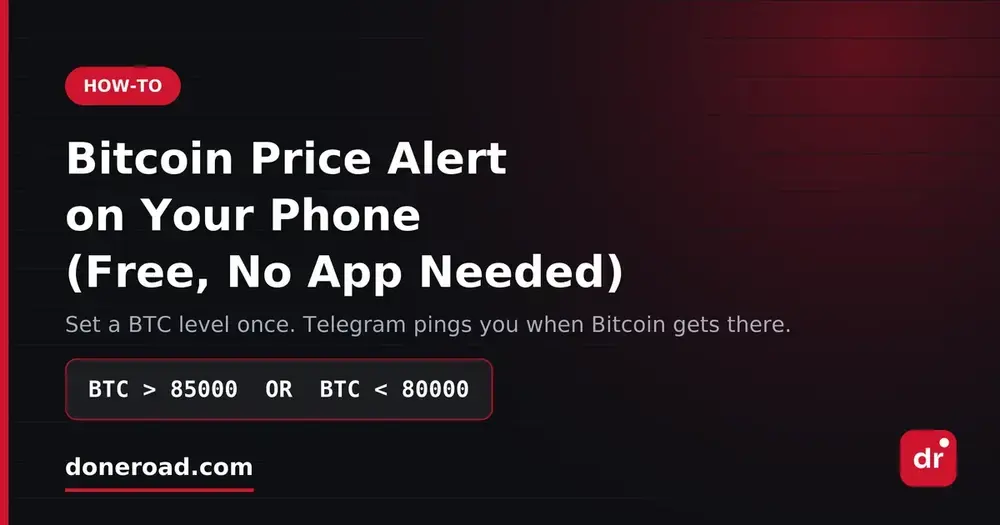
- Read the plain-English preview, for example "Bitcoin rises above $85,000 or falls below $80,000". If the sentence is not what you meant, fix it before saving.
- Connect Telegram (or Discord, push, email) as your default channel and save. In Settings, Send test sends a test message to Telegram so you can check it actually reaches your phone.
Nothing touches a trading account. DoneRoad alerts are notifications only: no exchange login, no API keys, and no orders are placed. If you want the reasons to keep alerts away from your exchange account, see how to set a Bitcoin price alert without an exchange account.
What Bitcoin alert rules are worth copying?
The most useful Bitcoin alert rules for a phone are a two-sided range fence, a single invalidation level, a fast-move alert based on percentage change, and a breakout confirmed by momentum. Each one below uses conditions DoneRoad supports. The price levels are illustrative examples only, so replace them with your own levels.
| Rule | Example condition | When it fires |
|---|---|---|
| Two-sided range | BTC > 85000 OR BTC < 80000 |
Bitcoin leaves the range in either direction |
| Invalidation level | BTC < 78000 |
Bitcoin trades below the level where your idea is wrong |
| Overnight drop | Bitcoin drops 5% within 4 hours | Bitcoin's price is at least 5% lower than four hours earlier |
| Breakout with momentum | BTC > 85000 AND Bitcoin 1-hour change ≥ +2% |
Bitcoin is above the level and still moving up quickly |
| Bitcoin and Ethereum (two alerts) | BTC < 80000 on one alert, ETH < 2400 on a second, both sent to the same Telegram chat |
Each coin reports its own breakdown; two messages close together mean the weakness is broad |
The two-sided rule is the one most people should start with. A single alert at the price you hope for tells you when you were right and stays silent when you were wrong. Covering both sides in one rule replaces two separate alerts, and if neither side fires you have no reason to open a chart.
Percentage-change conditions use a time window of 5 minutes, 15 minutes, 30 minutes, 1 hour, 4 hours or 1 day. DoneRoad compares the current reading with the reading at the start of that window, as explained in the alert conditions guide. Each alert watches one asset, so to follow Bitcoin alongside Ethereum, gold or oil, set one alert per asset and route them to the same chat. For what AND and OR can do within one asset, see how multi-condition alerts work.
How do you stop Bitcoin alerts from waking you up for nothing?
Bitcoin alerts become noise when the level sits where price wanders back and forth, when the move is too small for the time window, or when the same alert keeps repeating. Put levels where you would act, use percentage moves sized for Bitcoin's normal swings, and set how often a repeat is allowed.
- Size the move to the window. A 1% move within a day is ordinary for Bitcoin; a 5% move within 4 hours is worth waking up for. Start wider than you think and tighten later.
- Offset from round numbers. Price pokes through 80,000 or 100,000 constantly. A level slightly beyond the round number tells you price has moved into the move, not just touched it.
- Set the repeat limit. In Settings, "Don't repeat the same alert within" can be set from 30 minutes to 24 hours. While a condition stays true, repeats come further and further apart instead of every check.
- Write the action next to the price, for example "BTC below 78,000: check the 4-hour candle, then decide". If you cannot say in one sentence what you will do when it fires, do not set it.
Every trigger stays in your alert history for 90 days, which makes it easy to review which levels were worth a buzz and which ones you should delete.
Can you set a Bitcoin alert on a moving average instead of a price?
Yes. A moving-average condition compares the SMA or EMA itself to a number you enter — for example BTC EMA 50 above 84,000 — rather than comparing price to the average. It fires when the average reaches your level, which filters out single wicks that would trigger a raw price alert and then disappear. The indicator menu includes SMA 20, 50 and 200 and EMA 9, 12, 20, 50 and 200, as well as price and volume.
| Condition type | Example rule | Fires on |
|---|---|---|
| Price level | BTC above 85,000 | Any one-minute reading above the level |
| Percent change | BTC down 3% in 1 hour | A move of a given size over a window |
| Moving average | BTC EMA 50 above 84,000 | The 50-period EMA reaching your number |
Levels above are illustrations, not current prices. Averages are computed from one-minute readings, so EMA 50 here means the last 50 minutes, not 50 days.
Where does DoneRoad's Bitcoin price come from?
DoneRoad reads the Bitcoin price as the BTC/USDT pair from Binance and records it every minute. Pairs that Binance or MEXC list are read from those exchanges, and CoinGecko covers the rest. Percentage-change rules are measured against that one-minute history, not against an average.
The price can differ slightly from the exchange you trade on, and a spike that starts and reverses inside a single minute is not captured, because DoneRoad works at one-minute resolution. The full detail is on the methodology page.
Why do Bitcoin price alerts on a phone fail?
Bitcoin price alerts on a phone usually fail for three reasons: the alert lives inside an exchange app whose notifications you have muted, the channel was disconnected without you noticing, or there are so many alerts that you stop reading them. A server-side rule, a tested channel and a short alert list avoid all three.
- Muted exchange apps. Exchange apps also send promotions and listing news, so many people mute them, and the price alert goes quiet with everything else. A DoneRoad alert arrives in the chat app you already read.
- A blocked or disconnected bot. If you block the DoneRoad bot in Telegram, Telegram refuses the messages, so DoneRoad pauses your alerts until you reconnect Telegram or pick another channel. Press Send test after any phone change.
- Too many alerts. Five alerts on Bitcoin get muted within a week. Keep a few rules that each mean something, and delete rules for ideas you have abandoned.
Because the rule runs on DoneRoad's side, a new phone, a reinstall or a logout does not delete it. You only need access to the channel the alert is delivered to. If you are deciding whether an alert or an order is the right tool, see price alert vs stop-loss. The same approach works for metals; see how to get a gold price alert on your phone.
FAQ
Common questions about DoneRoad Bitcoin price alerts on a phone cover cost, whether an app is needed, exchange accounts and delivery speed. In short, a Bitcoin alert on DoneRoad is free during beta, is built in a browser, is checked once a minute, and can be delivered to Telegram, Discord, browser push or email.
Is a Bitcoin price alert on DoneRoad really free?
Yes. DoneRoad is free during beta with unlimited alerts, every asset and every channel, and no credit card. Accounts created during beta keep those features if paid plans arrive later.
Do I need to install an app to get Bitcoin alerts on my phone?
No. You build the alert in a web browser and receive it in Telegram, Discord, email or a browser push notification, so the apps you already have on your phone are enough.
Do I need an exchange account or API key?
No. DoneRoad only reads the public Bitcoin price and tells you; it never connects to an exchange, asks for an API key or touches funds.
How quickly does a Bitcoin alert arrive?
DoneRoad reads the Bitcoin price once a minute and sends the notification when a reading meets your rule. Delivery after that depends on Telegram, Discord, your browser or your email provider.
Can I set alerts for Ethereum and other coins the same way?
Yes. Ethereum, Solana, XRP and hundreds of other coins work the same way: search for the coin in the asset menu. One alert watches one coin, so create one alert per coin and send them to the same channel.
Will DoneRoad sell my Bitcoin when the alert fires?
No. DoneRoad never places, routes or executes trades. It sends a notification, and any trade is up to you.
Ready to stop checking the price? Create your free Bitcoin price alert.