


How do you get an oil price alert on your phone for free?
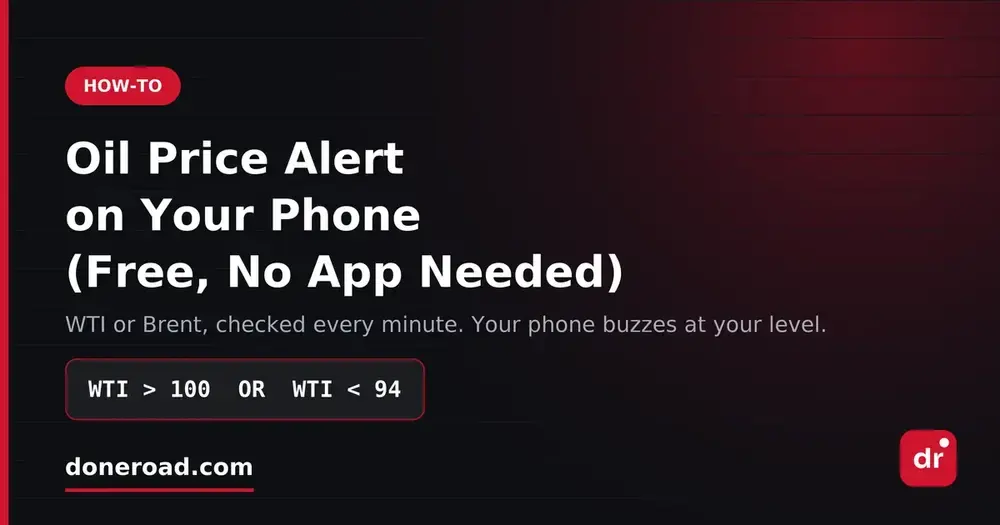
You can get a free oil price alert on your phone with DoneRoad, a no-code price-alert web app. Pick WTI or Brent crude, enter the price level or the dollar move you care about, and choose Telegram, Discord, browser push or email. DoneRoad checks the oil price once a minute and messages you when your rule is true. Nothing to install and no broker or futures account.
Set an oil price alert now: the builder opens on WTI with the live price, and you can switch to Brent in the asset menu before you sign up.
Oil reacts to supply headlines, OPEC+ decisions and weekly inventory data within minutes, and those often land outside your working hours. You do not need a trading terminal open to catch them. An alert lets you decide the level once and put the phone away; it only buzzes when crude does something you already decided matters.
Which oil prices can you set an alert on?
DoneRoad covers three crude oil benchmarks: WTI and Brent, read every minute as front-month futures, and Dubai crude, which updates once a day. All three are quoted in US dollars per barrel. For intraday alerts on a phone, use WTI or Brent.
| Benchmark | What DoneRoad reads | Updates | Price source on DoneRoad |
|---|---|---|---|
| WTI (WTI/USD) | Front-month WTI futures (CL=F) | Every minute | Yahoo Finance |
| Brent (BRENT/USD) | Front-month Brent futures (BZ=F) | Every minute | Yahoo Finance |
| Dubai (DUBAI/USD) | Dubai crude end-of-day price | Once a day | OilPrice.com |
Because WTI and Brent are front-month futures, the quote can differ from the contract month or CFD your broker shows, so leave a small gap around your levels. For what separates the two benchmarks, see how to set a free WTI or Brent alert on Telegram.
Which channel should an oil price alert use?
An oil price alert on DoneRoad can be delivered by Telegram, Discord, browser push notification or email. Each alert goes to the channel you set as default in Settings, and if that channel cannot deliver, DoneRoad sends it on your next connected channel instead. On a phone, Telegram or Discord is the fastest to notice for intraday oil levels; email suits slower levels you will act on later.
| Channel | Best for | What you need |
|---|---|---|
| Telegram | Inventory-day and headline moves you want to see within minutes | The Telegram app, connected once to your DoneRoad account |
| Discord | An energy or macro trading group that shares a server | A Discord channel connected to DoneRoad with a webhook |
| Browser push | Alerts on the device where you use DoneRoad | A browser that allows notifications |
| Weekly or monthly levels and a written record | Any inbox |
Email works from the moment you sign up; the other channels take one click to connect. Telegram is the "no app needed" route for most people, because it is already on the phone.
How do you set up an oil price alert step by step?
Setting up an oil price alert on DoneRoad takes about two minutes: create a free account, choose WTI or Brent, add a price or dollar-move condition, optionally add a second condition with AND or OR, check the plain-English preview, connect a channel, and save. The rule then runs on DoneRoad's servers, not on your phone.
- Go to doneroad.com and create a free account. No card is needed, and you can try the builder in demo mode first.
- Choose West Texas Intermediate (WTI/USD) or Brent Crude (BRENT/USD) as the asset. Gold, silver, Bitcoin, forex pairs and stocks are in the same list.
- Add a condition: price above or below your level, a percentage rise or drop, or "Increase by at least ($)" / "Decrease by at least ($)" within a time window.
- If your idea has two sides, add a second condition and join it with OR.
- Read the plain-English preview, for example "WTI rises above $100 or falls below $94". If the sentence is not what you meant, fix it before saving.
- Connect Telegram (or Discord, push, email) as your default channel and save. Close the chart.
Nothing touches a trading account. DoneRoad alerts are notifications only: no broker link, no futures account, and no orders are placed.
What oil alert rules are worth copying?
The most useful oil alert rules are a two-sided range fence, a dollar move within a day, a fast percentage move within an hour, and a level confirmed by a daily move. Each one below uses conditions DoneRoad supports. The price levels are illustrative examples only, so replace them with your own levels.
| Rule | Example condition | When it fires |
|---|---|---|
| Two-sided range | WTI > 100 OR WTI < 94 |
WTI leaves the range in either direction |
| Dollar move | WTI increases by at least $2 within 1 day | WTI is at least $2 a barrel higher than one day earlier |
| Fast move | Brent drops 3% within 1 hour | Brent is at least 3% below its price one hour earlier |
| Confirmed breakdown | WTI < 94 AND WTI down at least 2% within 1 day |
WTI is below the level and the drop came with a real move |
| Both benchmarks (two alerts) | WTI < 94 on one alert, BRENT < 98 on a second, both sent to the same Telegram chat |
Each benchmark reports its own break; two messages close together mean the move is broad |
Change conditions use a time window of 5 minutes, 15 minutes, 30 minutes, 1 hour, 4 hours or 1 day. DoneRoad compares the current reading with the reading at the start of that window, as explained in the alert conditions guide. Each alert watches one asset, so to follow oil alongside gold, Bitcoin or a currency pair, set one alert per asset and route them to the same chat. For what AND and OR can do within one asset, see how multi-condition alerts work.
Should an oil alert use a dollar move or a percentage move?
Use a dollar move when you think about oil in dollars per barrel, which is how most oil news is reported, and a percentage move when you compare oil with other assets. "Up $2 in a day" reads the same way a headline does; "up 2% in a day" lets you use one threshold across WTI, Brent and other markets.
- "Increase by at least ($)" and "Decrease by at least ($)" measure the change in dollars per barrel over the window.
- "Increase (%)" and "Decrease (%)" measure the change in percent over the same windows.
- Do not mix them up. A value of 2 means $2 on a dollar condition and 2% on a percentage condition. At around $97 a barrel, those are almost the same size; if oil moves far from there, they are not.
How do you choose oil alert levels?
Good oil alert levels are prices where you would actually do something: the edge of a recent range, the level that would invalidate your view, or a price that changes a hedge or a cost estimate. Write down the action next to each level. An alert with no plan attached only helps you react faster, not better.
- Set the level where your idea is wrong, not only the level you are hoping for.
- Avoid tidy round numbers like $90 or $100, which price pokes through all the time. Place the alert slightly beyond them.
- Write the action next to the price, for example "WTI below 94: check whether Brent broke too, then decide".
- If you cannot say in one sentence what you will do when it fires, do not set it.
Can you set an oil alert on a moving average instead of a price?
Yes. A moving-average condition compares the SMA or EMA itself to a number you enter — for example WTI EMA 20 above 98 — rather than comparing price to the average. Averages are computed from DoneRoad's one-minute readings, so EMA 20 means the last 20 minutes of WTI, which smooths out a single spike on a headline. For daily-only Dubai prices, use a plain price level instead.
Why do oil price alerts fail?
Oil price alerts usually fail for three reasons: the alert lives inside a broker app that must stay logged in, the alert compares against a different contract than the one you trade, or the user sets so many alerts that they stop reading them. A server-side rule with a small gap around each level and a short alert list avoids all three.
- Platform-bound alerts. Broker and charting alerts often only work on one device or only for instruments that broker carries. DoneRoad runs server-side, so your phone can be locked and your laptop closed.
- Contract mismatch. Your broker may quote a different month or a CFD. Leave a small gap rather than setting the exact tick you see on your broker screen.
- Too many alerts. Five alerts on WTI get muted within a week. Keep a few rules that each mean something.
In Settings, "Don't repeat the same alert within" can be set from 30 minutes to 24 hours, so the same rule does not keep firing while oil stays past your level. Every trigger stays in your alert history for 90 days. A move that starts and reverses inside one minute is not captured; the methodology page explains why. The same approach works for metals and crypto; see gold price alerts on your phone and Bitcoin price alerts on your phone.
FAQ
Common questions about DoneRoad oil price alerts on a phone cover cost, whether an app is needed, Brent versus WTI and dollar moves. In short, an oil alert on DoneRoad is free during beta, is built in a browser, is checked once a minute for WTI and Brent, and can be delivered to Telegram, Discord, browser push or email.
Is an oil price alert on DoneRoad really free?
Yes. DoneRoad is free during beta with unlimited alerts, every asset and every channel, and no credit card. Accounts created during beta keep those features if paid plans arrive later.
Do I need to install an app to get oil alerts on my phone?
No. You build the alert in a web browser and receive it in Telegram, Discord, email or a browser push notification, so the apps you already have on your phone are enough.
Can I set an alert for Brent instead of WTI?
Yes. Open the asset menu in the builder and pick Brent Crude; everything else works the same. To watch both, set one alert on WTI and one on Brent and send them to the same channel.
Do I need a broker or futures account?
No. DoneRoad only reads the oil price and notifies you; it does not connect to a broker and does not trade.
Can I get an alert when oil moves by a dollar amount?
Yes. Choose "Increase by at least ($)" or "Decrease by at least ($)", enter the amount per barrel, and pick a window from 5 minutes to 1 day.
Ready to stop refreshing the oil quote? Create your free oil price alert.