


How do you get free stock price alerts by email without an app or broker account?
You can get free stock price alerts by email from a standalone alert service such as DoneRoad, which runs in the browser. Create a free account, pick a stock, set a level or a percentage move, and choose email as the channel. DoneRoad checks prices once a minute. You need no broker account, no app and no card.
Most stock price alerts come with strings attached: a brokerage account you have to open and fund, a mobile app you have to install, or a paid tier with more alerts. If all you want is an email when a stock crosses a level, that is a lot of friction. Here is how to set up that email in a couple of minutes, and how to pick levels worth the email.
Why use email for stock price alerts?
Email works well for stock price alerts because it lands in an inbox you already check, it can be searched later, and it works on any device without installing anything. For levels you'll act on over hours or days, rather than seconds, email is a dependable written record.
Push notifications from broker and finance apps compete with news, promotions and daily watchlist summaries, and many people end up muting them. An email about a level you chose yourself stands out. You can also filter it into its own folder or label so it never gets buried.
Email is not the fastest channel, though. Delivery depends on your mail provider, and a message can land in spam or arrive with a delay. For intraday levels you want to see within minutes, make Telegram, Discord or browser push your primary channel instead; alerts go to that one channel.
| Alert source | Needs a broker account | Needs an app | Delivery |
|---|---|---|---|
| Broker platform alerts | Usually yes | Often, for push | App push, sometimes email |
| Charting platform alerts | No | Optional | Varies by platform and plan |
| DoneRoad | No | No (web app) | Email, Telegram, Discord, browser push |
Which stocks can you set email alerts on?
DoneRoad covers a curated list of global stocks, alongside crypto, 100 forex pairs, precious metals and oil, for 250+ assets in total. It is not every listed ticker. Before you sign up, open the demo on the DoneRoad homepage and search the asset picker to confirm your stock is included.
Stock prices only change while the exchange is open. A rule on a stock can therefore only become true during that exchange's trading session, or on the first reading after it opens. The price sources for each asset class are listed on the methodology page.
What should a useful stock price alert look like?
A useful stock price alert describes the situation that means your plan is live, not just a single number. With DoneRoad you can combine conditions on the same stock using AND/OR, alert when a moving average crosses a level you set, or watch for percentage moves within a time window. That way the alert fires on the setup, not on every wobble.
"Alert me when TSLA hits $400" gives you a number, not a decision. The examples below are illustrative. Use tickers from the asset list and levels from your own plan.
- Either-or alert:
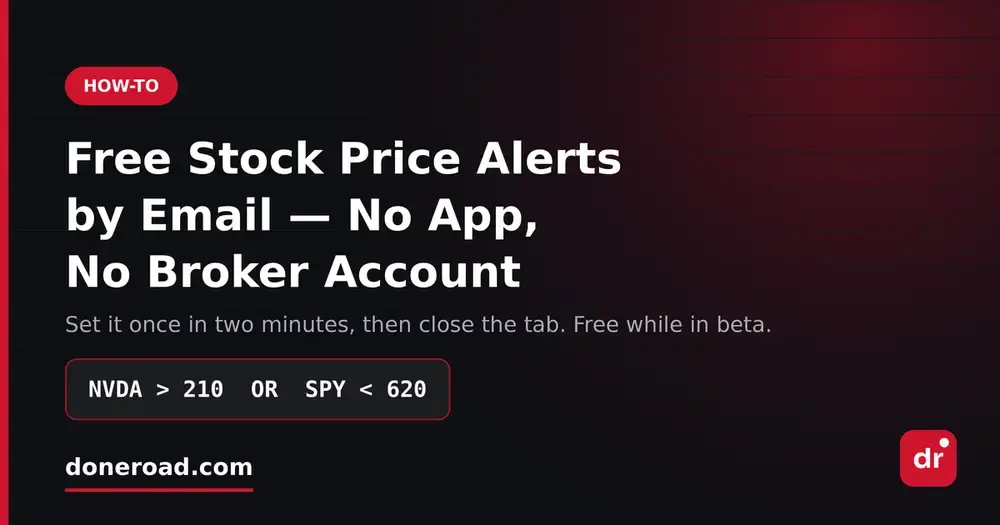
NVDA > 210 OR NVDA < 180. Either leg means the range has resolved and the setup you are waiting for is in play, so go and look. One alert covers both sides. - Confirmation alert:
AAPL < 220 ANDAAPL down at least 2% within 1 day. This fires only when the break comes with a real move, not a slow drift through the level. To watch AAPL and MSFT together, set one alert on each and send both to the same inbox. - Momentum alert: a stock decreases by at least 3% within 1 day. Change conditions support windows of 5 minutes, 15 minutes, 30 minutes, 1 hour, 4 hours and 1 day. See the alert FAQ for how each condition is measured.
- Trend alert: the SMA 50 or EMA 20 of the stock falls below a level you set, for example
AAPL EMA 20 < 215. The condition compares the average itself with your number, not the price with the average. Moving averages are calculated from DoneRoad's own one-minute price history.
How do you set up a stock price alert by email, step by step?
Setting up a stock price alert by email on DoneRoad takes six steps. Create a free account, choose the stock, add a condition, optionally add more conditions with AND/OR, check the plain-English preview, and select email as the delivery channel. The alert then runs on DoneRoad's servers, so you can close the tab.
- Create a free account at doneroad.com/signup. There's no card, no download and no broker link.
- Pick the stock from the asset list.
- Add your first condition. It can be a fixed threshold (above, below, at-or-above, at-or-below) or a rise or fall over a time window.
- If your setup needs it, add a second condition with AND or OR. Every condition applies to the same stock; to watch another stock, create a second alert.
- Read the plain-English preview. It states in one sentence exactly when the alert will fire, so a reversed
<is caught before it costs you. - Choose email as the channel (or Telegram, Discord or push). Then save.
Nothing needs to stay open, and logging out doesn't stop the alert. Frequency limits keep the same alert from firing repeatedly, and every trigger stays in your alert history for 90 days.
How do you choose stock price levels worth an email?
Choose stock price levels where you would actually do something: add, trim, or accept that your thesis is wrong. Avoid round numbers that the price crosses back and forth constantly. If you can't say in one sentence what you'd do when the alert fires, don't set it.
- Use your own levels. Take them from your plan, such as a prior swing high or low, or the price where your position sizing changes, not from headlines.
- Use "or equal" operators when a level matters. DoneRoad compares with greater-than or less-than, with or without "or equal". It has no "equals" operator, because a price sampled once a minute almost never lands exactly on a number.
- Keep the list short. A handful of alerts you act on is more useful than a long list you have learned to ignore.
The same approach works beyond stocks. For example, the gold price alert guide uses it for gold on your phone.
FAQ
Are DoneRoad stock alerts really free?
Yes. DoneRoad is free during its beta, with unlimited alerts, every asset and every channel, and no credit card. If paid plans arrive later, accounts created during the beta keep everything currently listed.
Can I get stock alerts by email without a brokerage account?
Yes. DoneRoad needs only a DoneRoad account. You never link a broker, and DoneRoad never places or executes trades.
How fast is a DoneRoad stock price alert?
DoneRoad reads each price once a minute and sends the alert as soon as a reading meets your rule. How quickly the email then reaches your inbox depends on your mail provider.
Can one alert watch two stocks?
No. Each DoneRoad alert watches one asset, and AND/OR combines conditions on that one stock. To follow two stocks, create one alert per stock and send both to the same email address or Telegram chat.