


How do you set a free oil price alert on Telegram?
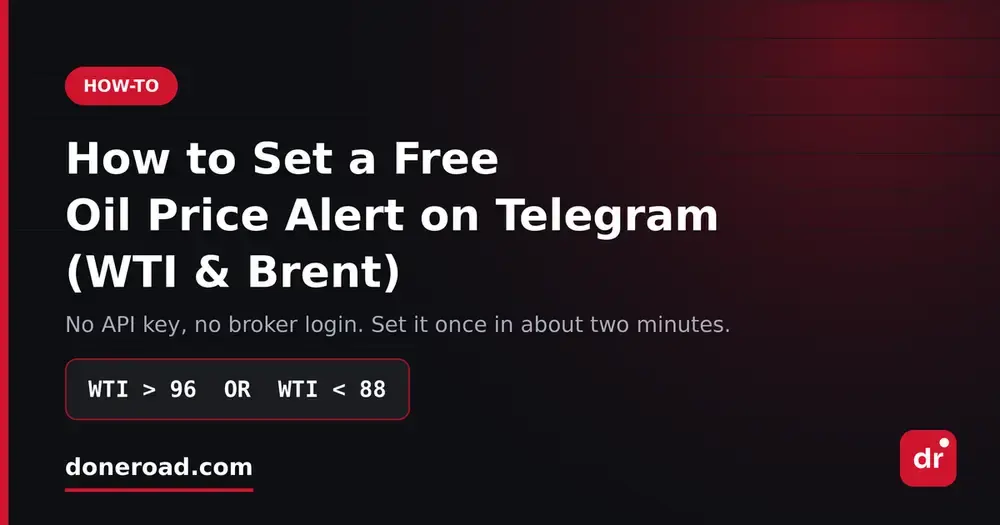
You can set a free WTI or Brent oil price alert on Telegram with DoneRoad, a no-code price-alert web app. Choose WTI or Brent, enter your level, connect Telegram once and save. DoneRoad checks oil prices every minute and messages you when the condition is true. No broker account, download or card is needed.
If you trade oil, or if oil moves your energy stocks, your currency pair or your inflation view, you already know the annoying part: crude does most of its damage while you are asleep or in a meeting. Energy news lands at inconvenient hours, from OPEC+ headlines to weekly inventory data to geopolitical events over a weekend. Here is how to stop refreshing a quote page and get pinged instead.
What is the difference between WTI and Brent?
WTI (West Texas Intermediate) is the main US crude oil benchmark, with futures traded on NYMEX and delivery at Cushing, Oklahoma. Brent is the North Sea benchmark used to price much of the world's traded crude, with futures on ICE. Both are quoted in US dollars per barrel, and DoneRoad lets you alert on either one.
| Benchmark | What it represents | Main futures market | Unit |
|---|---|---|---|
| WTI | US light, sweet crude delivered at Cushing, Oklahoma | NYMEX (CME Group) | USD per barrel |
| Brent | North Sea crude, a reference for much of the world's traded oil | ICE Futures Europe | USD per barrel |
WTI and Brent move together most of the time, so the gap between them is itself information. When one benchmark breaks a level and the other does not, the story is often local, such as US supply or a regional disruption. When both break together, the move is broad. That is why many oil traders set one alert on WTI and one on Brent, and send both to the same Telegram chat.
Why do broker oil alerts keep failing?
Broker oil alerts often fail for three reasons: the alert lives inside an app you have to keep open, it handles only one condition like "WTI above 96", and it pushes to a notification tray you already ignore. A server-side rule that can combine conditions and posts to Telegram fixes all three problems.
- The alert lives inside the app. Close the app, log out or switch devices, and it silently stops mattering.
- It only handles one condition. "WTI above 96" is a single line. Real trading questions are rarely single lines.
- It pushes to a tray you ignore. Telegram is the message people actually read.
Which oil alert conditions are worth setting?
The most useful oil alert conditions are a breakout fence on WTI, a level confirmed by a daily move, a fast-move rule using percentage change, and a pair of separate WTI and Brent alerts sent to one chat. A price alert tells you a number was touched; a condition tells you your thesis is under pressure.
The difference matters most in oil, because crude is almost never a standalone story. It is a supply story, a dollar story or an inflation story. The levels below are illustrative examples; use your own.
| Rule | Example condition | When it fires |
|---|---|---|
| Breakout fence | WTI > 96 OR WTI < 88 |
WTI leaves its range in either direction |
| Confirmed breakdown | WTI < 88 AND WTI down at least 2% within 1 day |
WTI is below the level and the drop came with a real move |
| Fast move | WTI drops 3% within 1 hour | WTI is at least 3% below its price one hour earlier |
| Confirmed breakout | WTI > 96 AND WTI up at least 3% within 1 day |
WTI is above the level and still rising strongly |
| Both benchmarks (two alerts) | WTI < 88 on one alert, BRENT < 92 on a second, both sent to the same Telegram chat |
Each benchmark reports its own break; two messages close together mean the weakness is broad |
The breakout fence. Either leg fires, the range has resolved one way or the other and you go look. Neither fires, you do not open a chart all day.
The confirmation rule. It only fires when WTI is below the level and has also fallen at least 2% over the day, which points to real selling rather than a thin session poking through a line. A bare level alert would ping you on every wobble, and you would eventually mute it.
Watching oil next to other markets. Oil up while EUR/USD falls means rising energy costs into a stronger dollar. Crude and gold rising together is an inflation-hedge story, not a one-off supply headline. A DoneRoad alert watches one asset, so set one alert on WTI and one on EUR/USD or gold, and send them to the same Telegram chat. The messages land side by side and you judge the combination yourself. For what AND and OR can do within one asset, see how multi-condition alerts work.
How do you set up a WTI or Brent alert in about two minutes?
To set up a WTI or Brent alert on DoneRoad, open doneroad.com in a browser, pick the oil benchmark, add one or more conditions joined with AND or OR, read the plain-English preview, choose Telegram, email, Discord or push, and save. The alert runs on DoneRoad's servers, so it fires whether or not your laptop is open.
- Go to doneroad.com and create a free account. It runs in the browser, with nothing to download and no broker account to connect.
- Pick your asset. Oil (WTI and Brent) sits alongside crypto, stocks, forex and precious metals. Each alert watches one asset, so create a separate alert for each market you follow.
- Write the rule. Choose your conditions on that asset and chain them with AND or OR. Price conditions use above, below, at or above, and at or below. Change conditions use a window of 5 minutes, 15 minutes, 30 minutes, 1 hour, 4 hours or 1 day.
- Read the plain-English preview, for example "Notify me when WTI is above 96 and has risen at least 3% within 1 day", so you cannot accidentally set the opposite of what you meant.
-
Choose where alerts go: Telegram, email, Discord or browser push. Each alert is sent to your default channel, and if that one fails, DoneRoad tries your next connected channel. Telegram is the one people actually read.
- Save. That is it.
How each condition is evaluated, including why there is no "equals" operator, is explained in the alert conditions guide.
How do you pick oil price levels worth a notification?
Pick oil price levels where you would actually do something: hedge, add, cut, or admit your view is wrong. Avoid tidy round numbers like $70 or $80, which price pokes through all the time. If you cannot answer "what do I do when this fires?" in one sentence, do not set the alert.
Set the level where you are wrong, not the level you are hoping for. An alert only at your target tells you when you were right and says nothing when you were wrong. Fewer, sharper rules also mean each notification gets read. DoneRoad applies frequency limits so the same rule does not repeat while oil stays past your level, and every trigger stays in your alert history for 90 days so you can review which levels earned their place.
Where does DoneRoad's oil price come from?
DoneRoad reads WTI and Brent benchmark prices from a third-party source, records them every minute and keeps one-minute history for 40 days. The quoted price may differ from the contract month or CFD your broker shows, so alert levels should allow for a small gap. The source is listed on the methodology page.
A move that starts and reverses inside one minute is not captured, because readings are taken once a minute. Prices are passed on as received, and alerts are notifications, not orders. Details are on the methodology page.
FAQ
Common questions about DoneRoad oil price alerts cover cost, watching WTI and Brent together, account requirements and delivery. In short, a WTI or Brent alert on DoneRoad is free during beta, needs no broker account or bot of your own, and can go to Telegram, Discord, email or browser push.
Is the oil price alert free?
Yes. DoneRoad is free during beta with unlimited alerts, no card and no code. Accounts created during beta keep those features if paid plans arrive later.
Can I watch WTI and Brent together?
Yes, with two alerts. Each DoneRoad alert watches one asset, so create one for WTI and one for Brent and send both to the same Telegram chat. You hear about whichever benchmark breaks first, and two messages close together mean the move is broad.
Do I need a broker account or a Telegram bot of my own?
No. DoneRoad needs no broker connection and no API keys. You connect your Telegram account once and DoneRoad sends the messages.
Can I get oil alerts by email instead of Telegram?
Yes. Make email your primary channel in Settings and your alerts arrive there instead of Telegram. Discord and browser push work the same way.
Set your first WTI or Brent alert now: create a free DoneRoad account.